Role workspaces
Every role signs in to its own workspace.
Students and parents see attendance, fees, timetable and results. Teachers see their classes, their record and their payslip. Leadership and the office see the institution.
Portals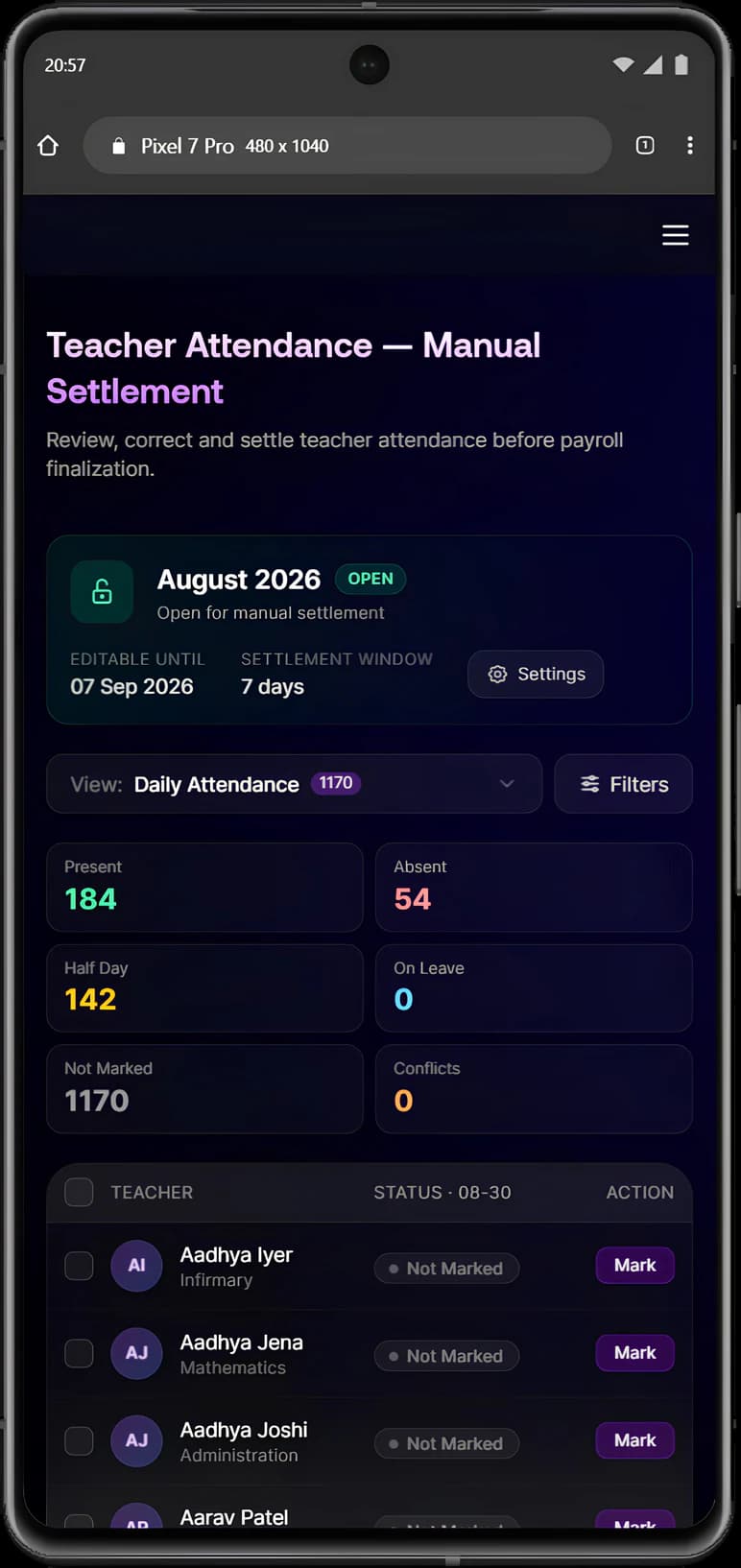
Manecia ERP
Manecia ERP is the operating platform for modern educational institutions. Admissions, academics, attendance, finance, people, student care and transport share one record, and each role gets a workspace built for its work.
Why connected matters
Separate tools each hold part of the picture. In Manecia ERP, work that finishes in one department continues in the next without being entered again.
Admissionscontinues inStudent record
An approved applicant becomes a student with a roll number, class, section and portal login.
Attendancecontinues inPayroll
Present days, approved leave and half-days set each staff member's payable days.
Transportcontinues inFees
Assigning a bus route adds the transport fee to the student's dues.
Examinationscontinues inFamily portal
Published results arrive with a subject breakdown and a report card to download.
Attendancecontinues inParents
An absence reaches the family the same morning.
Leavecontinues inAttendance
Approved leave is marked as leave, not counted as an absence.
Feescontinues inTransfer certificates
A TC request is checked against outstanding dues before it is approved.
For every role
Students and parents, teachers and administrators each sign in to their own workspace, built from the same records.
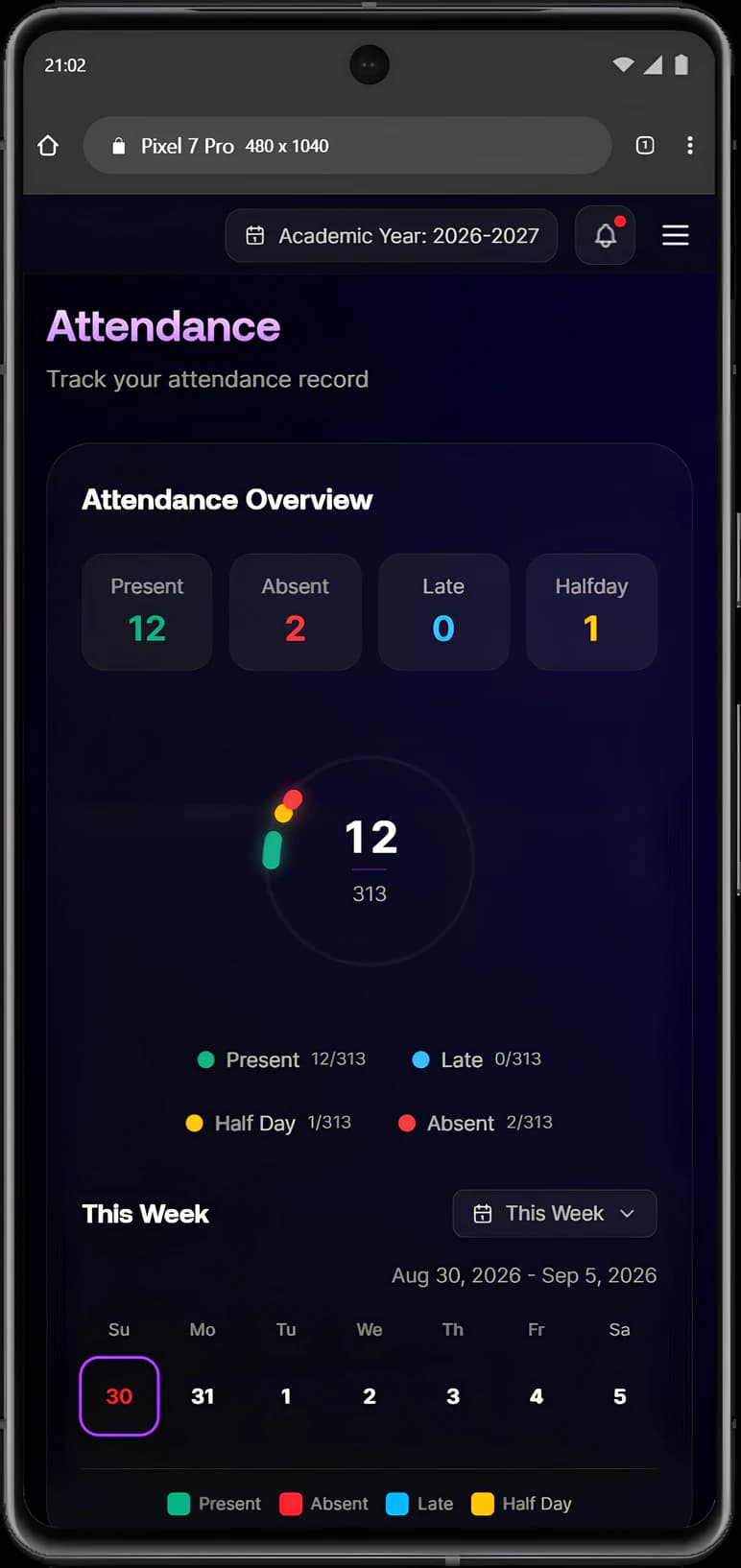
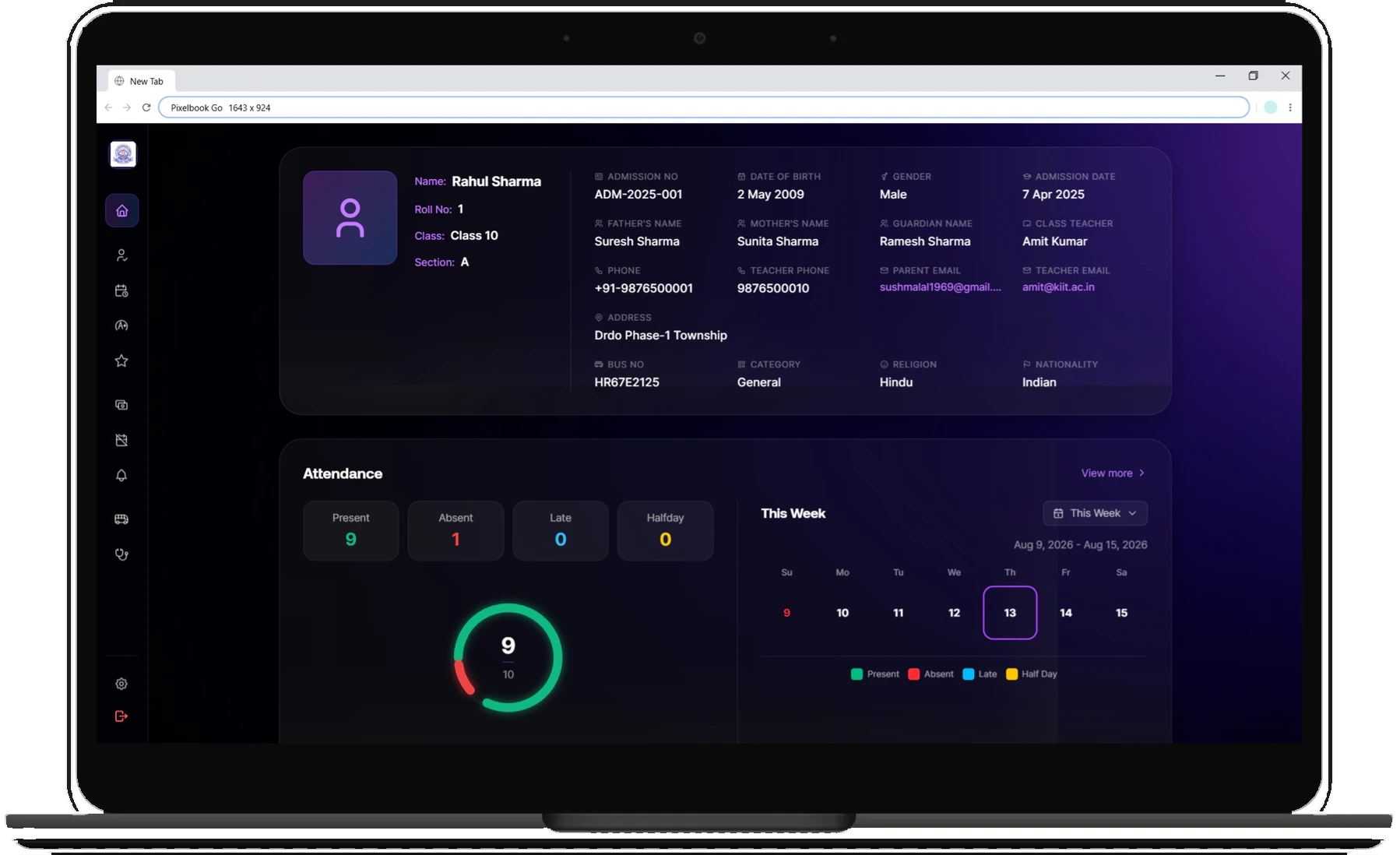
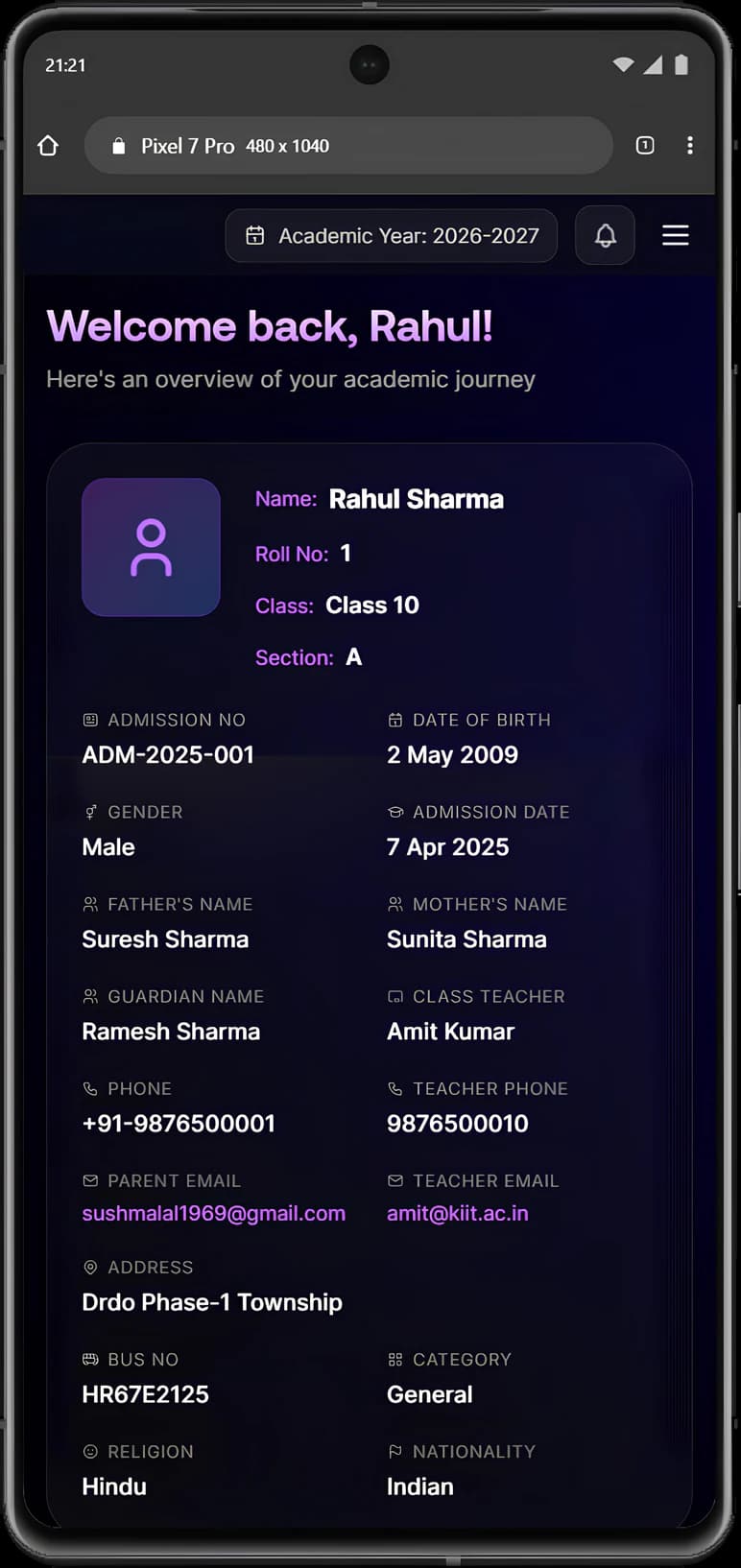
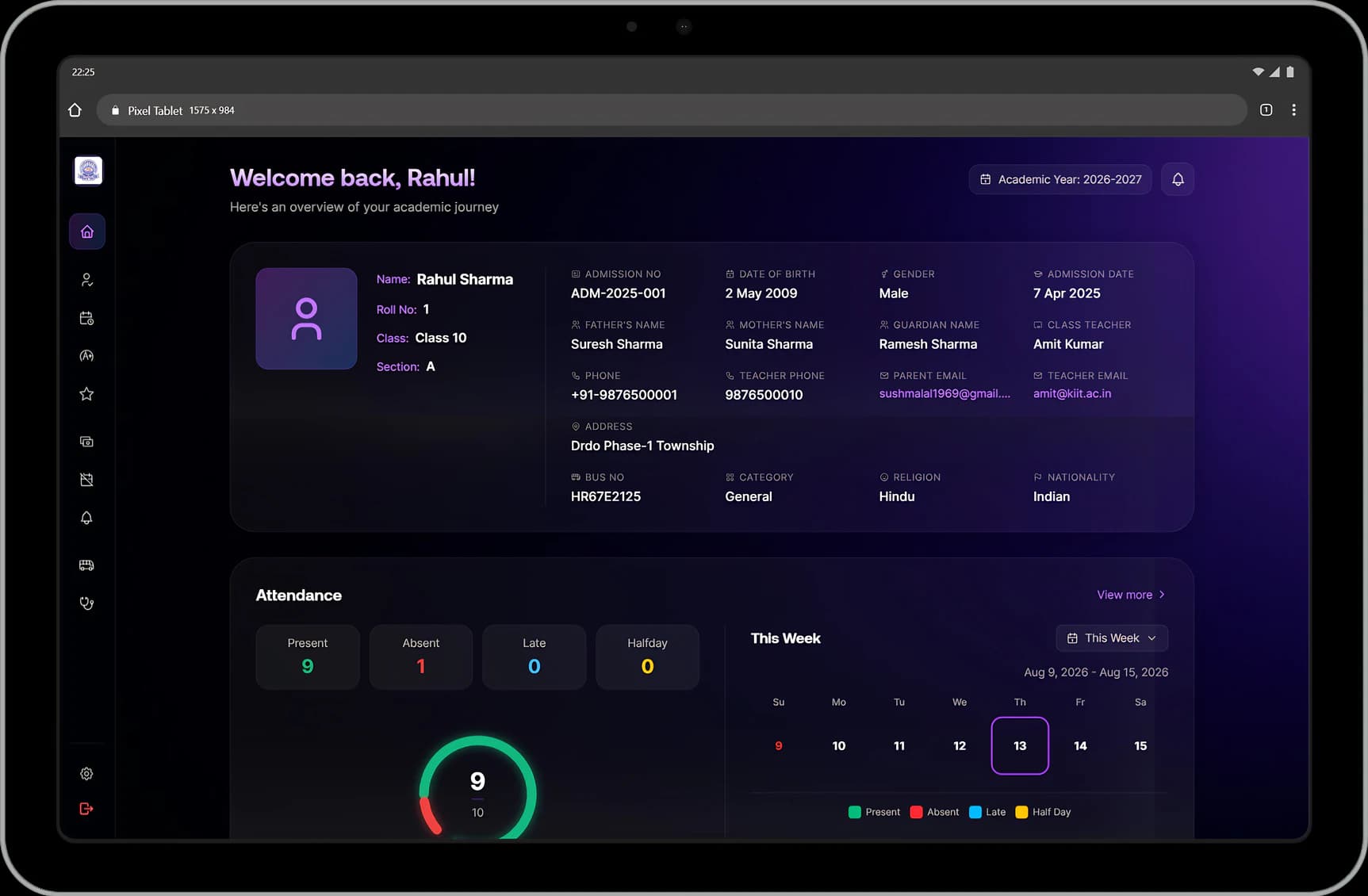
The student portal. Parents sign in with their child's login, so a family has one account and nothing extra to install.
Families apply on the school's own admissions portal and upload documents from home.
AdmissionsPay through the school's payment gateway, get the receipt straight away and see every past payment.
Fees & collectionsFollow the school bus with its arrival times and the phone numbers of the staff on board.
TransportSubject-by-subject marks and a report card to download as soon as the school publishes them.
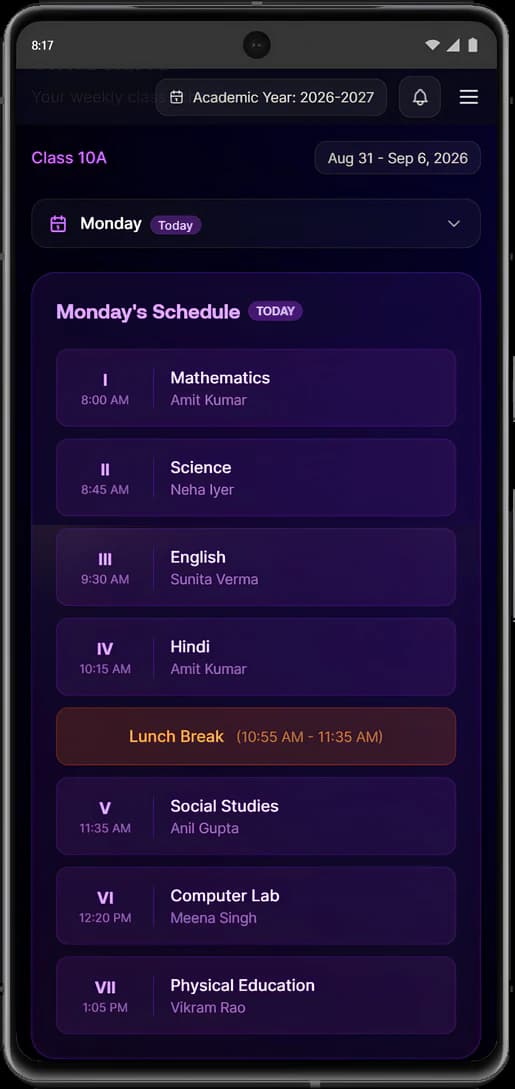
Examinations & report cardsEach student's schedule for the day, updated when the school changes it.
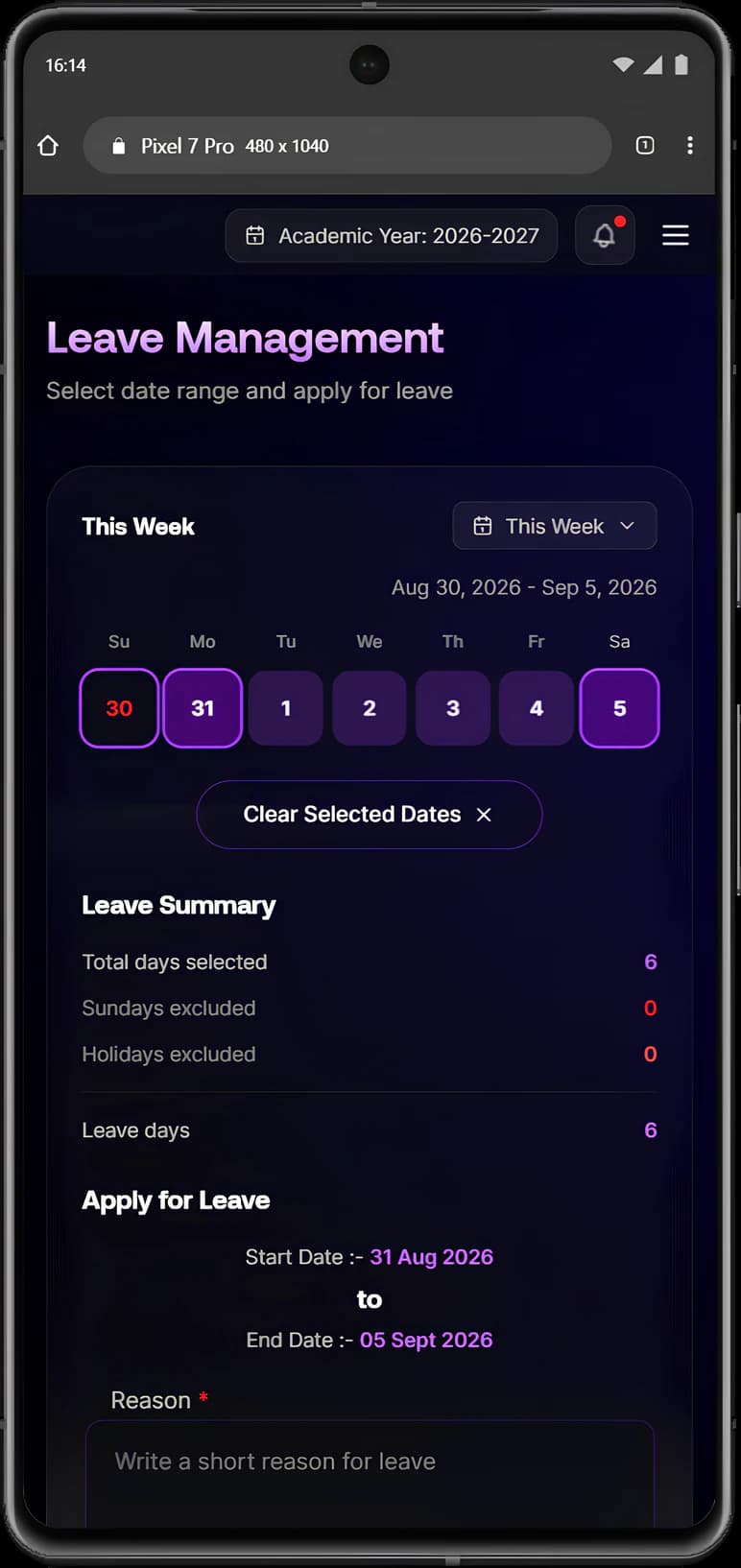
TimetableParents apply for their child's leave from any device.
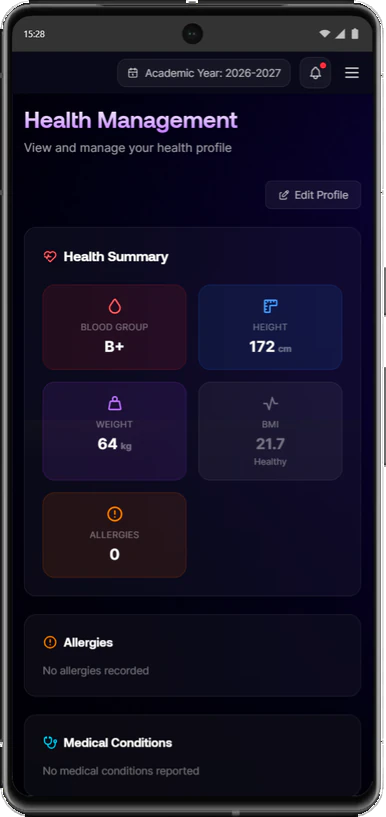
Leave managementBlood group, allergies and emergency contacts, visible to the family in the portal.
Health recordsStudents rate their subject teachers, anonymously, when the school opens a feedback round.
Student feedbackThe teacher portal: registers, marks, the day's periods, leave and pay, for the classes each teacher is responsible for.
Tap only the students who are absent, then submit the register.
AttendanceTeachers enter marks only for the subjects they are assigned, and results stay in draft until the school publishes them.
Examinations & report cardsA personal daily timetable. When a colleague is absent, single periods are covered by substitution without changing the core timetable.
TimetableApply from any device and see the live leave balance before applying.
Leave managementBank-ready payslips from the staff self-service portal.
Salary & payrollPunches are recorded automatically, and a missed punch is corrected with a logged reason.
AttendanceClass teachers see the blood groups, allergies and emergency contacts of their own students.
Health recordsThe office and leadership view of the whole institution, with the school's own rules applied everywhere.
Walk-in, phone and online enquiries are assigned to staff with daily reminders, and an approved applicant gets a roll number, class and portal login.
AdmissionsFee structures, instalments, late fees and audited concessions, with live collections and defaulter lists.
Fees & collectionsPayable days come from biometric attendance, salaries move from draft to approved, and reports are ready for auditors.
Salary & payrollShift timings, late arrivals, half-days and overtime, plus leave types, yearly entitlements and approval routing.
AttendanceConflicts are flagged, periods go only to qualified teachers, and changes reach the whole school at once.
TimetableLive buses, overspeeding alerts, and warnings before insurance, fitness certificates or driver licences expire.
TransportFeedback rounds with the school's own questions, and anonymous rankings by teacher and subject.
Student feedbackGrading for CBSE, ICSE, State boards or IB, and PDF report cards with the school's logo.
Examinations & report cardsProduct tour
Manecia ERP on laptops, tablets and phones. Select any device to see its screen larger.
Role workspaces
Students and parents see attendance, fees, timetable and results. Teachers see their classes, their record and their payslip. Leadership and the office see the institution.
PortalsEnrolment
The admissions portal takes applications and documents, the office records each decision, and an approved applicant becomes a student with a profile the family can see.
Admissions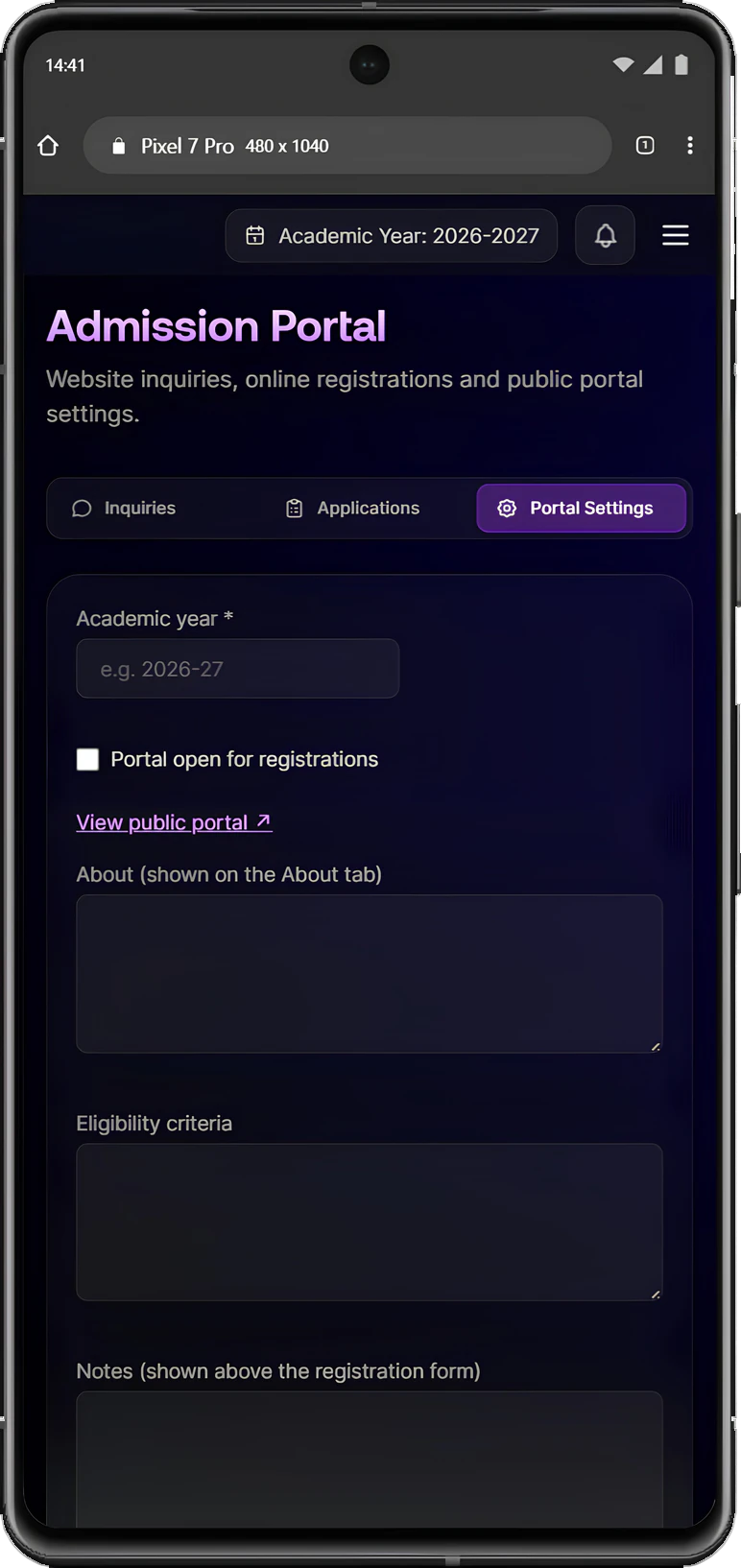
Timetable
The office sets the bell schedule and working days, conflict checks stop double-bookings, and teachers, students and parents each see the timetable that applies to them.
Timetable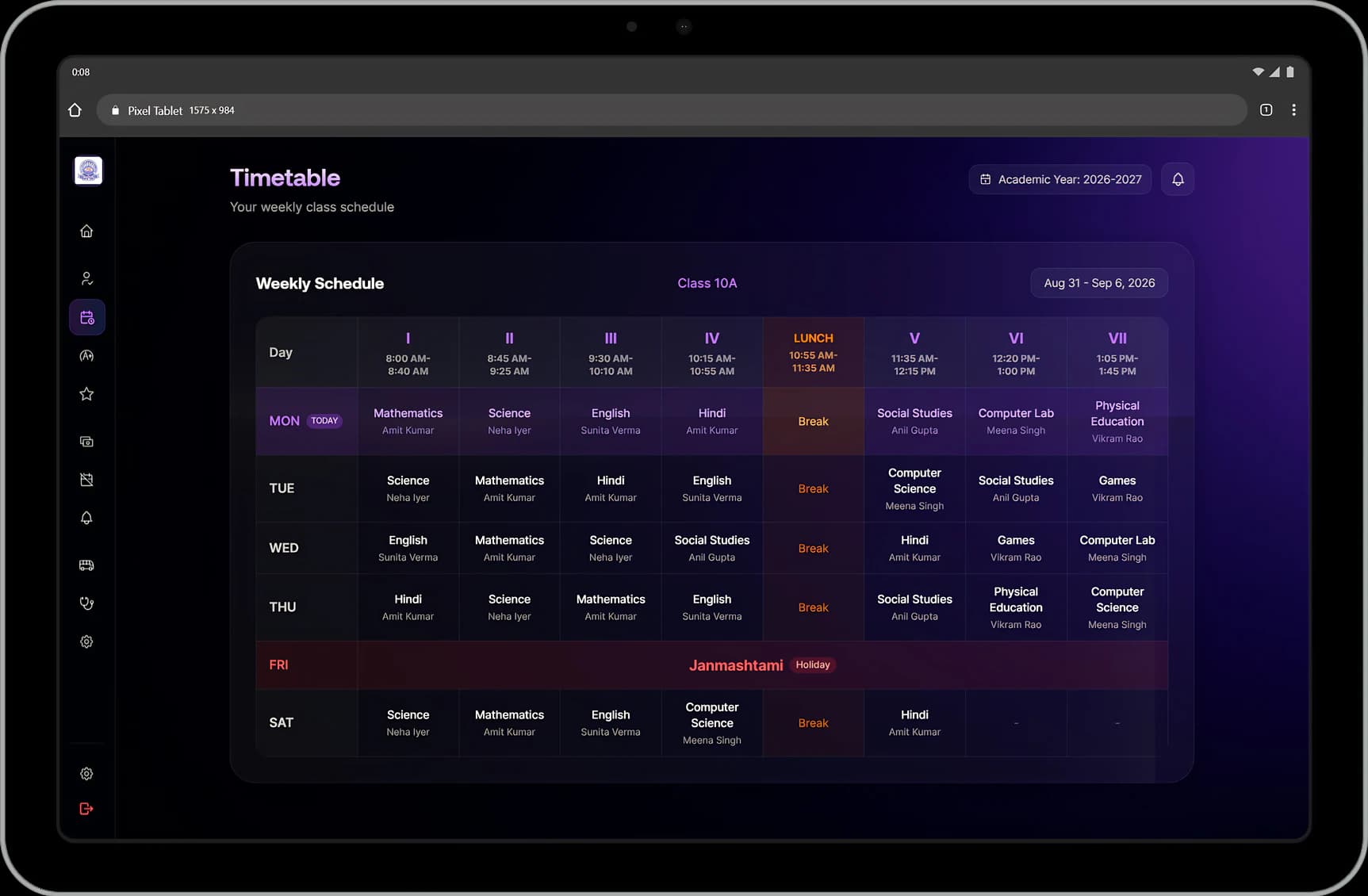
Examinations
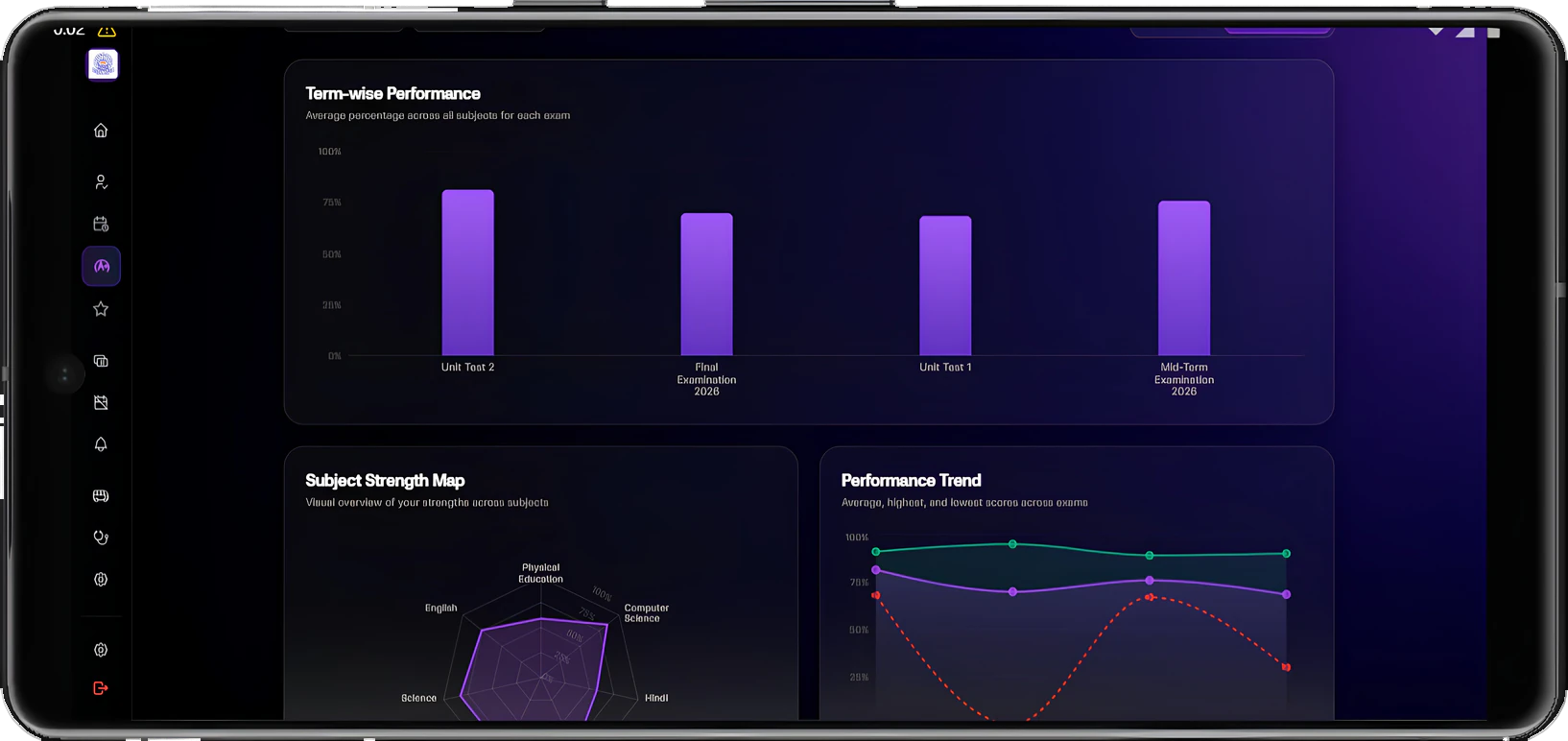
Grades, pass status and statistics calculate from the school's own scheme. Results reach students and parents only when they are released.
Examinations & report cards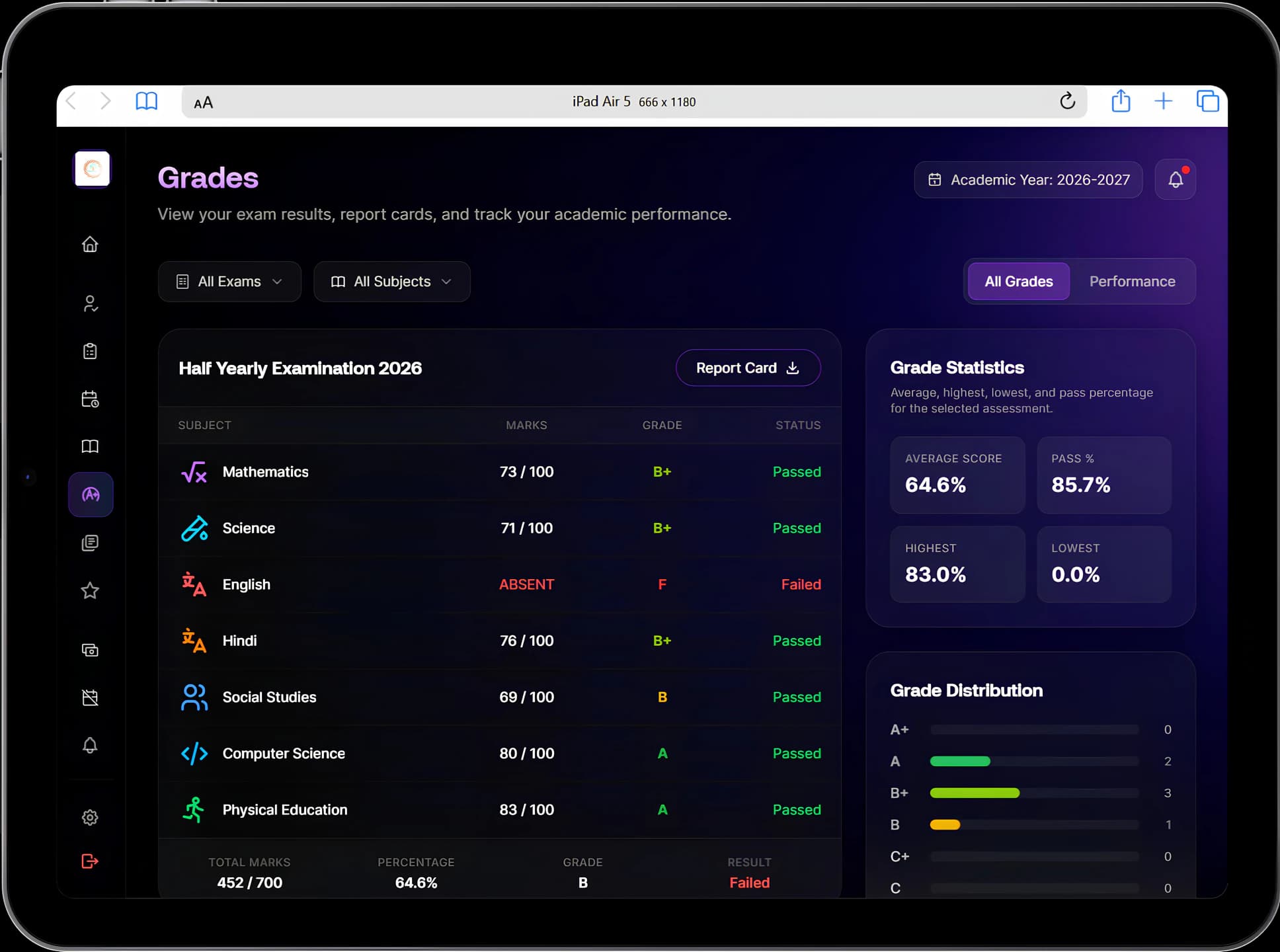
Teaching quality
Students rate their subject teachers against the school's own questions during a feedback round. Leadership sees who has responded and how teachers and subjects compare, without student names.
Student feedback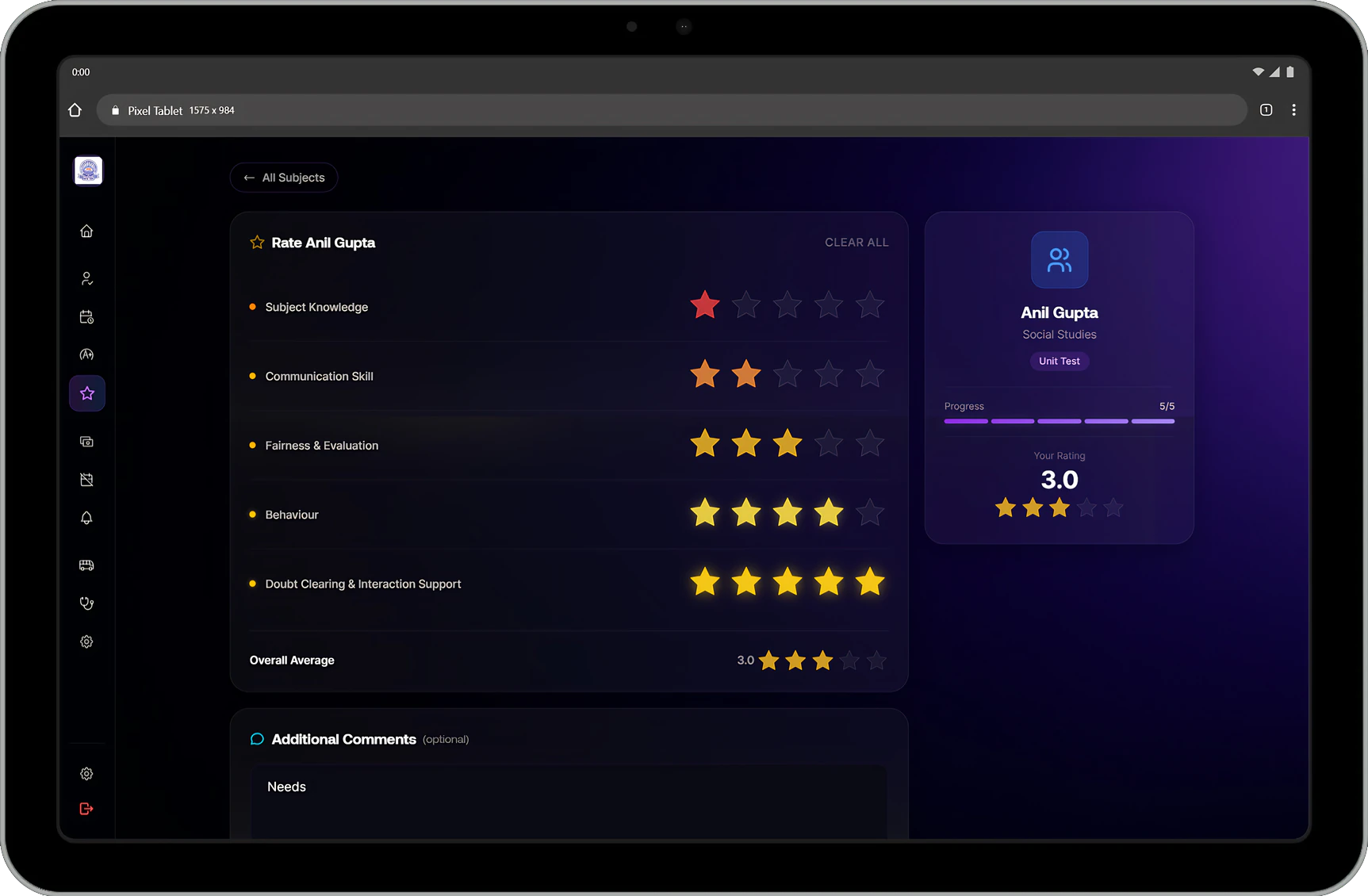
Finance
The fee ledger tracks what is due, paid and overdue per student. Payroll uses allowances and deductions you define, with payable days taken from attendance.
Fees & collections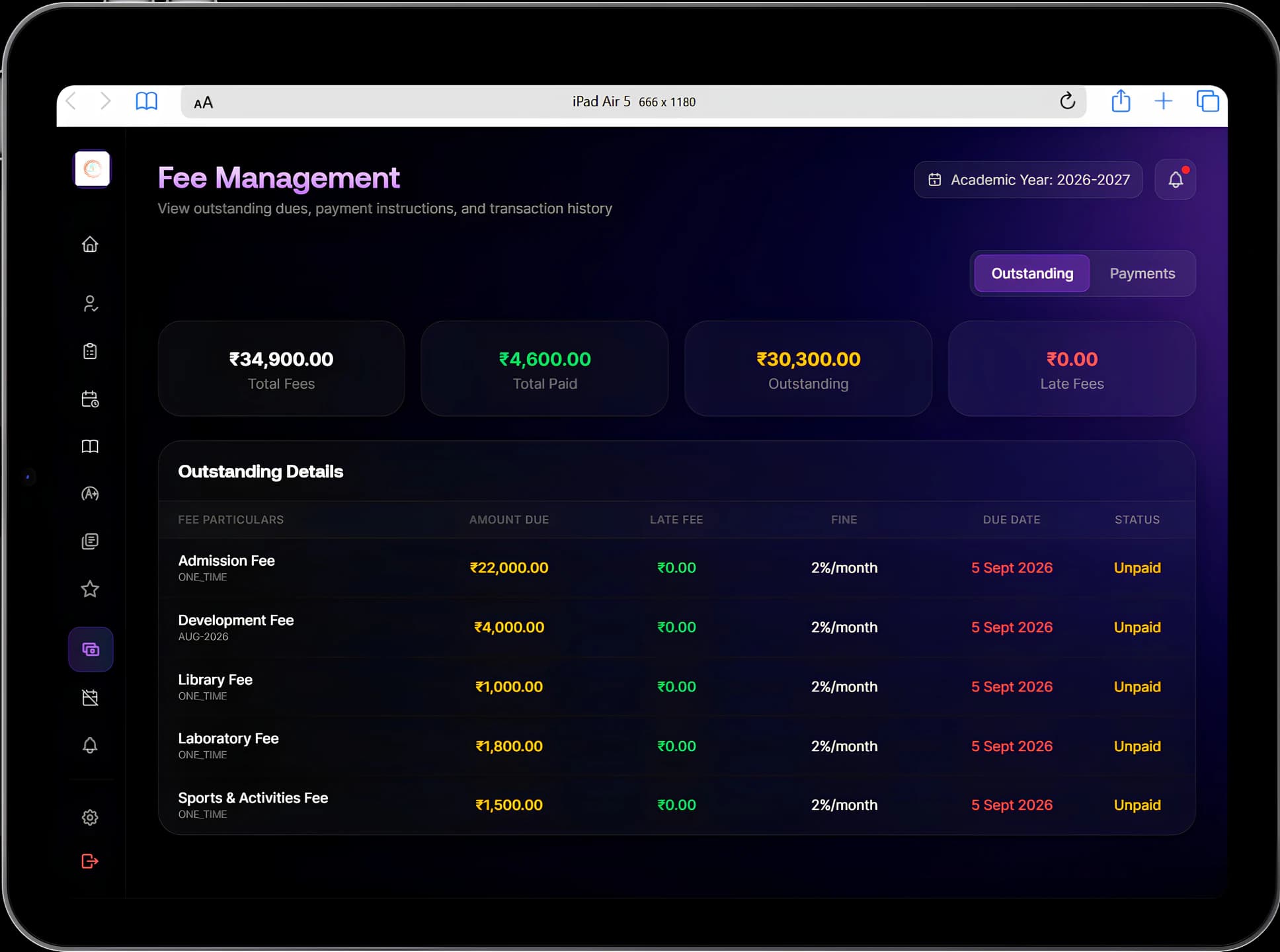
People
Staff and parents apply in a few taps. Holidays are excluded automatically, the approval chain is built in, and every decision is recorded.
Leave management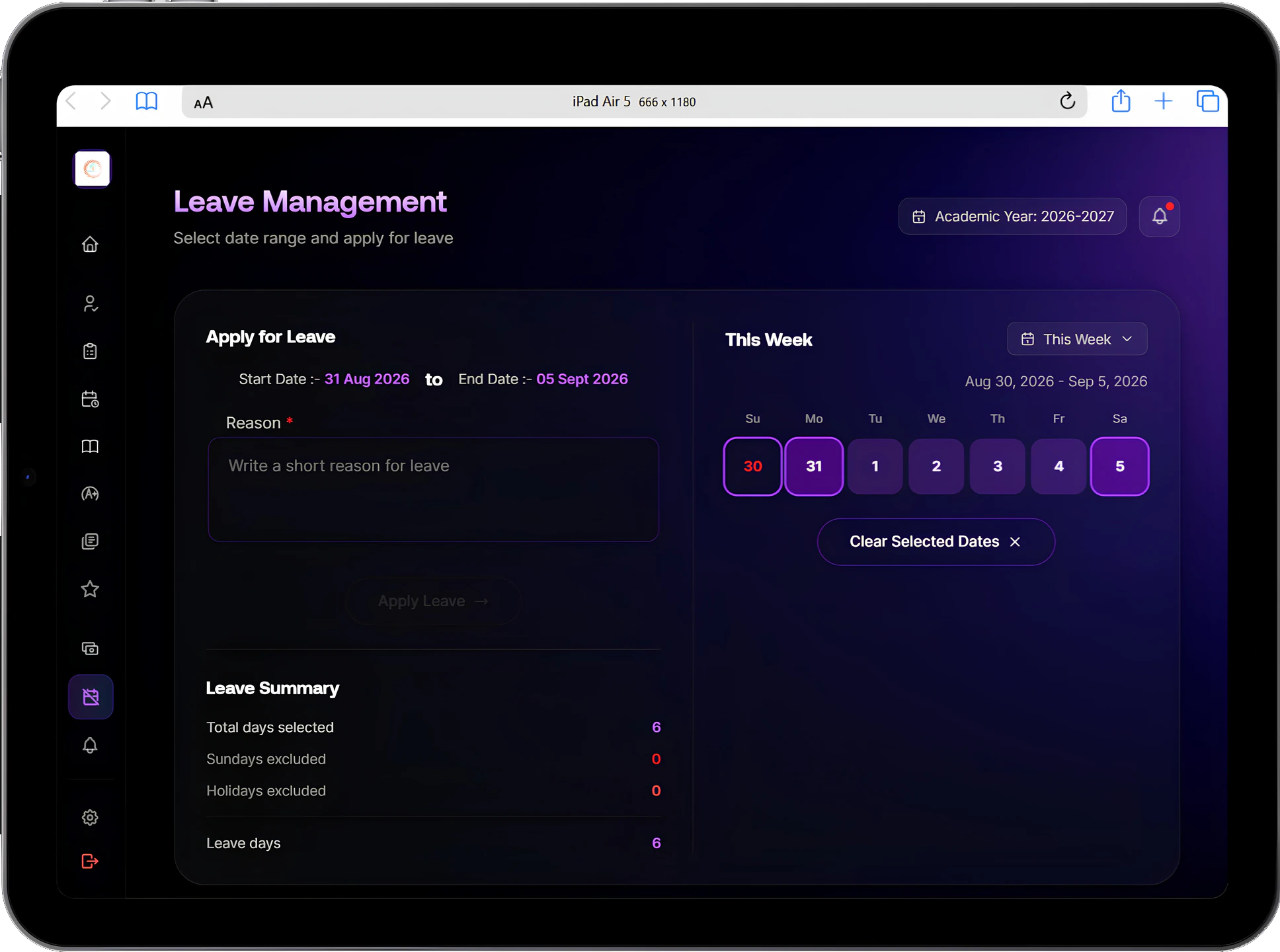
Student care
Medical profiles and emergency contacts are on hand when time matters, and behaviour records bring positive notes, incidents and parent alerts together.
Health records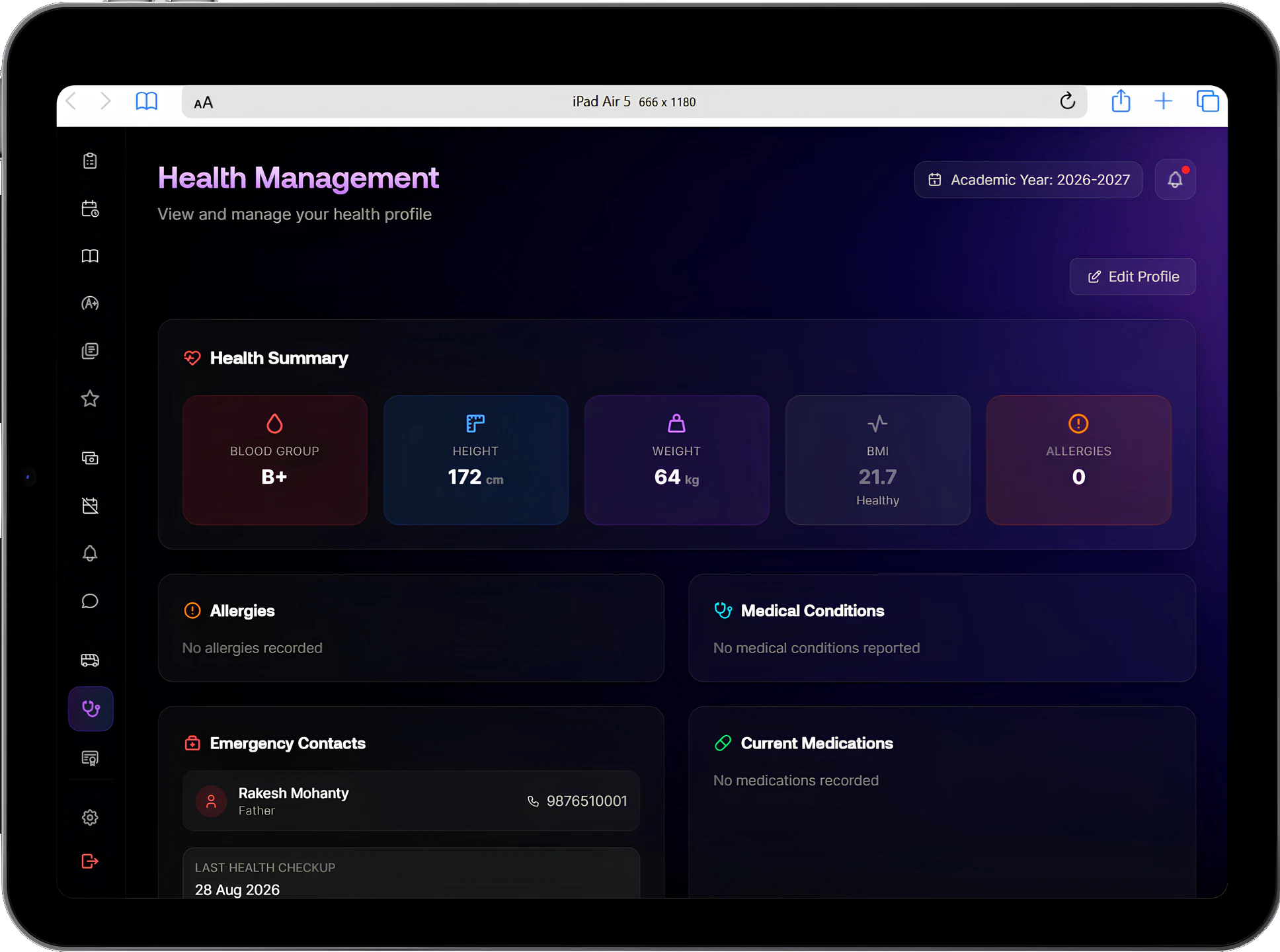
Transport
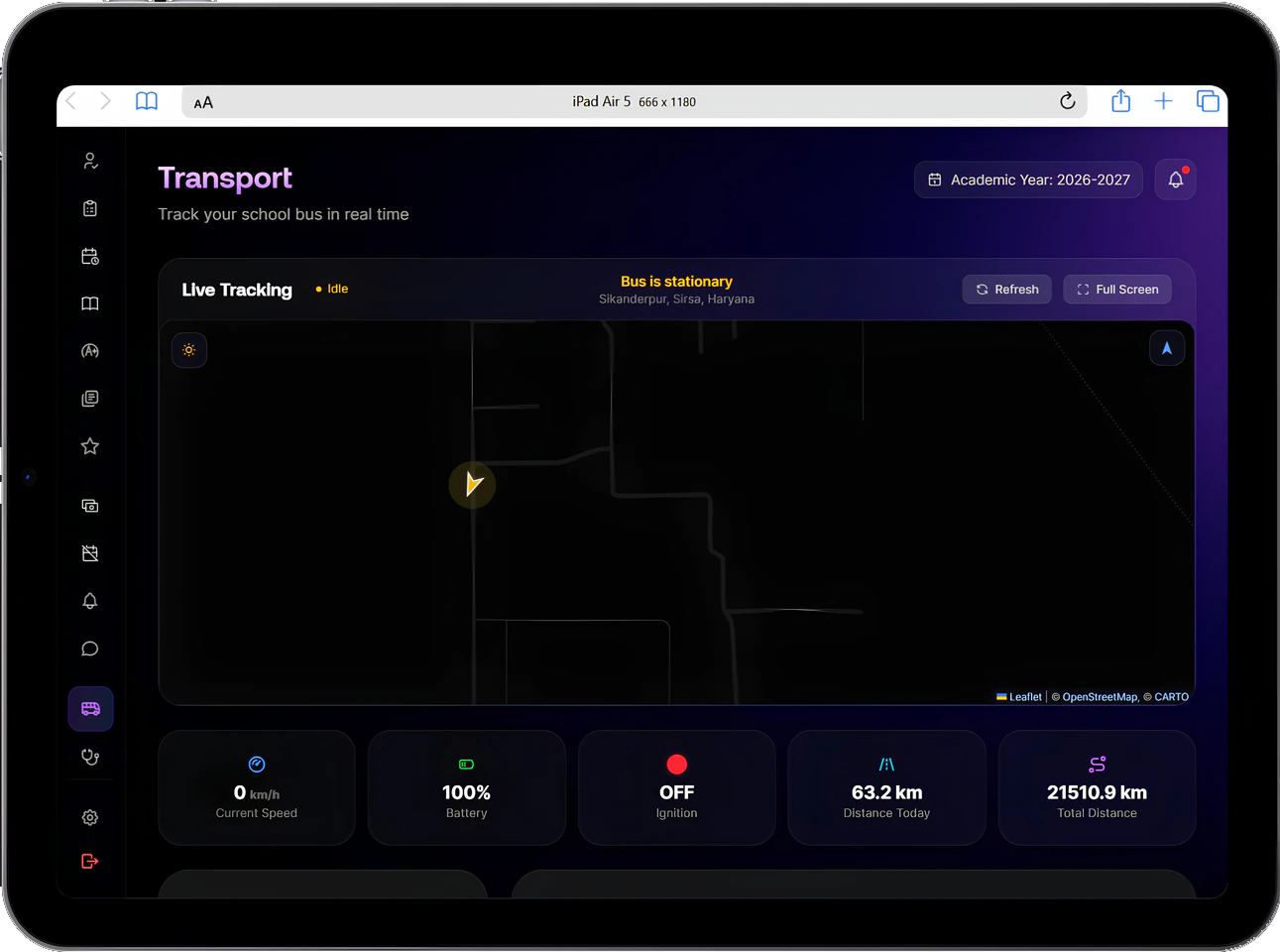
Parents follow the bus live and see their stops and timings. The office manages routes, vehicles and drivers, and route assignments bill transport fees.
Transport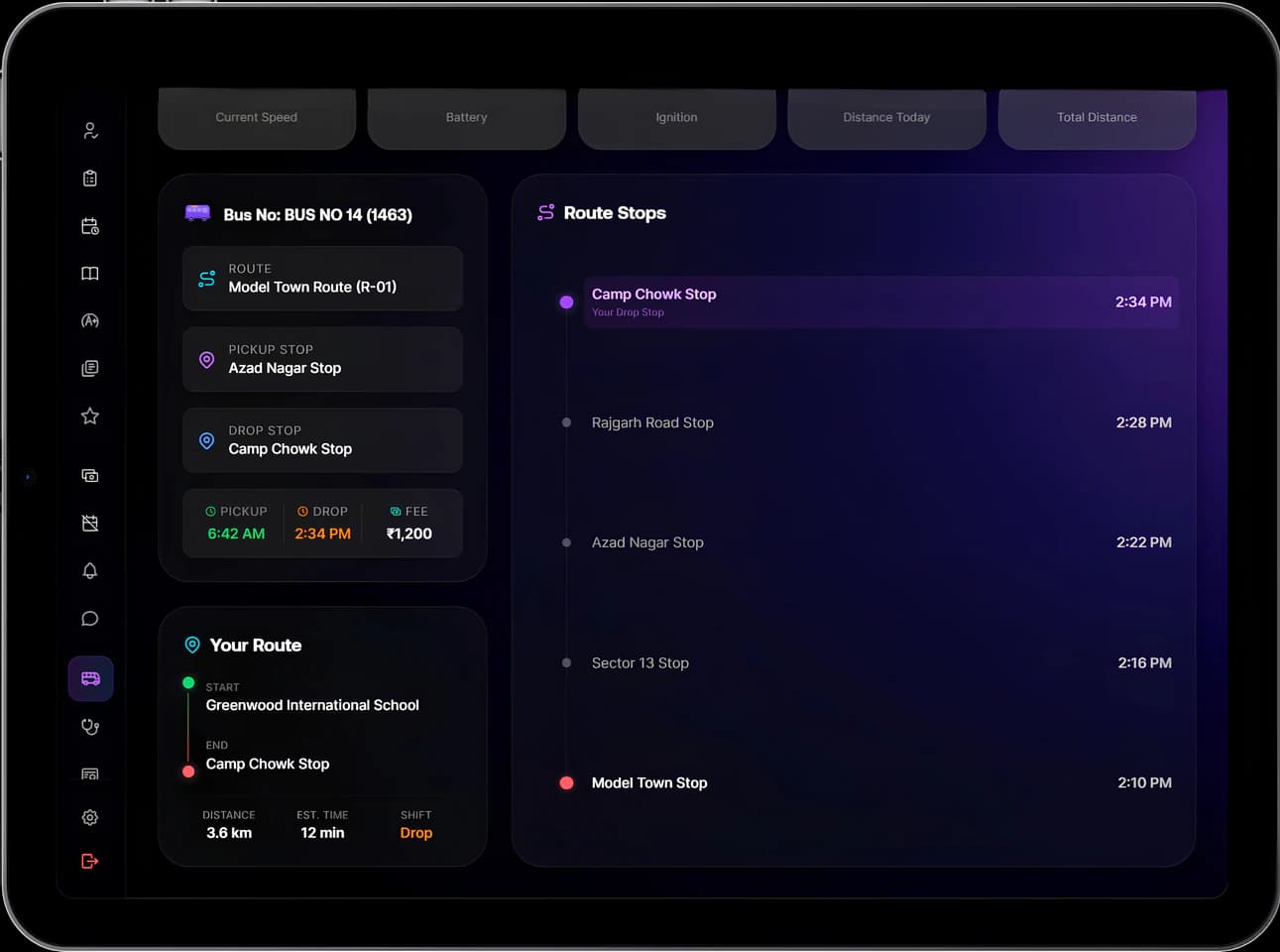
Modules
Open a module to see everything it handles, from everyday tasks to the exceptions that usually fall back on paper.
Platform principles
Students, staff, classes and fees are recorded once. Every module and every role works from that same record.
Teachers see their own classes and students, parents see their own child, and leadership sees the institution.
Bell schedules, fee structures, grading schemes, attendance rules, leave types and approval chains are set by the institution.
Approvals, corrections, overrides and voided payslips keep who, when and why, so a question months later has an answer.
Results, payslips and closed attendance months are released or locked deliberately, so unfinished work does not reach families or staff.
Manecia ERP works on computers, tablets and phones through the web browser. Parents have nothing extra to install.
Implementation
Configuration, data migration and training are part of the rollout, with a 15-day free trial available before you commit.
We map your current workflows, roles and records, and the tools your teams use today.
Academic structure, fee rules, attendance policy, grading, leave types and permissions are set to match your institution.
Student, staff, fee and attendance records are brought across and checked for format and completeness.
Administrators, teachers and office staff learn the system through the work they do each day.
Modules go live in the order that suits your institution, with our team on hand as people start using them.
Ongoing help as your staff, policies and academic years change.
Tell us how your institution runs today. We will walk you through the parts of Manecia ERP that matter to your teams.
Or call +91 82182 20929