Examinations & report cardsMarks in once. Grades, results and report cards out everywhere.
Start from your board's grading preset or define your own. Teachers enter marks only for the classes they teach, results calculate from the school's rules, and nothing reaches families until it is published.
What it handles
Inside Examinations & report cards.
Your board's grading
Start from a CBSE, ICSE, State board or IB preset and adjust every band, or build your own scheme. Change it once and results across the school follow.
Pass rules you decide
Set passing thresholds per subject, per class or school-wide, including separate thresholds for theory and practical.
Marks entry scoped to the teacher
Teachers see the subjects and sections they teach when they open the screen, and cannot reach anyone else's.
Results that calculate themselves
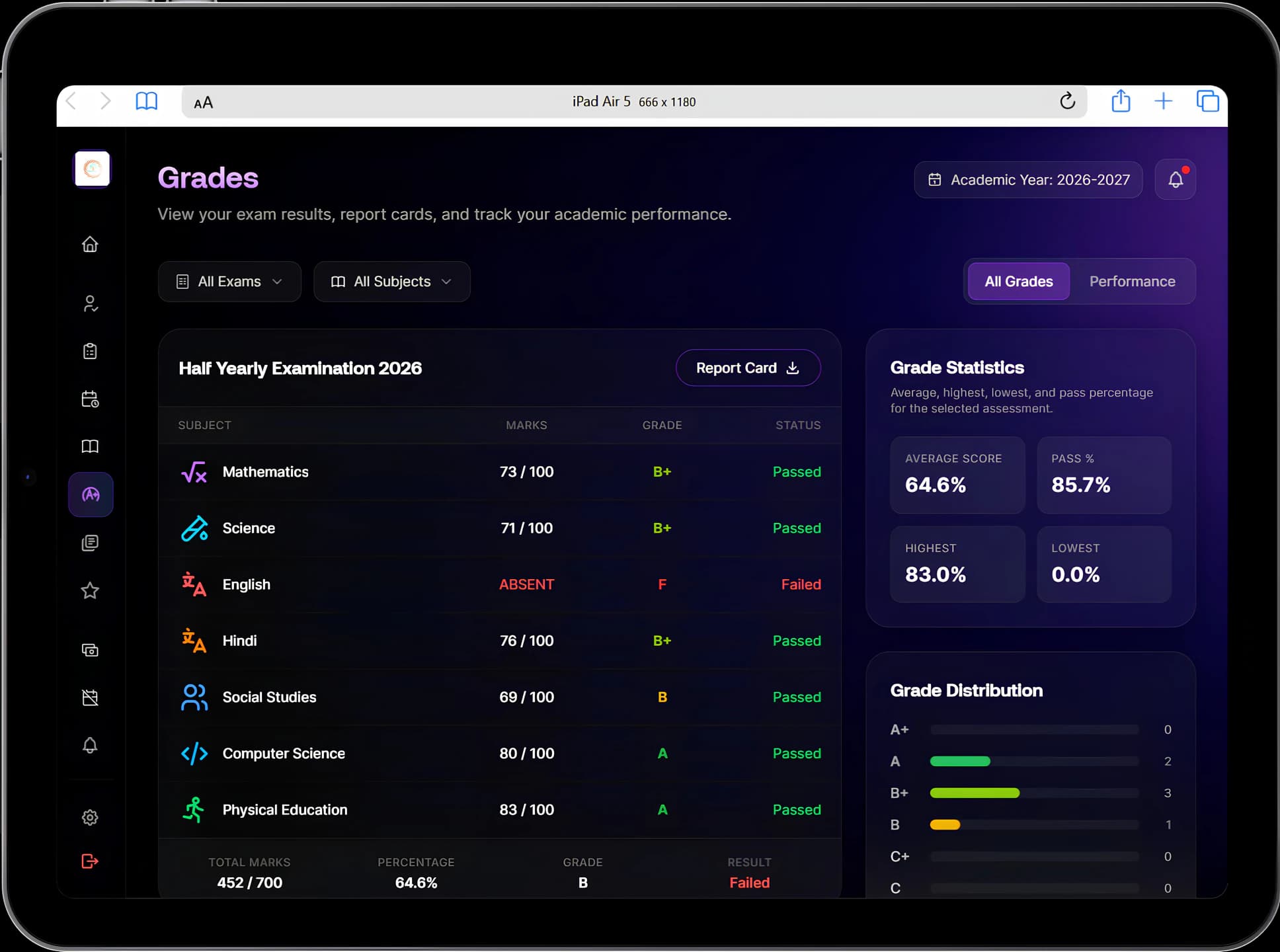
Percentage, grade, subject pass or fail and the overall result are worked out as marks are entered, using the school's scheme.
Absent is not failed
A missed paper is reported as incomplete rather than failed, so a student who was ill on exam day is not told they failed the year.
Report cards with your identity
Your logo, name and address on every page, generated as a PDF a school is happy to hand to a parent.
Results when they are published
Students and parents see the subject-by-subject breakdown and download the report card, without queuing at the office on result day.
Nothing published by accident
Results stay with the teacher until they are deliberately released, so a half-entered mark sheet never reaches a parent.
Grading changes are kept
Who changed which band, and when, is recorded, so last year's report cards still make sense against last year's rules.
Exams set up once
The office creates the exam and marks-entry work reaches the right class teachers automatically.
Performance across the year
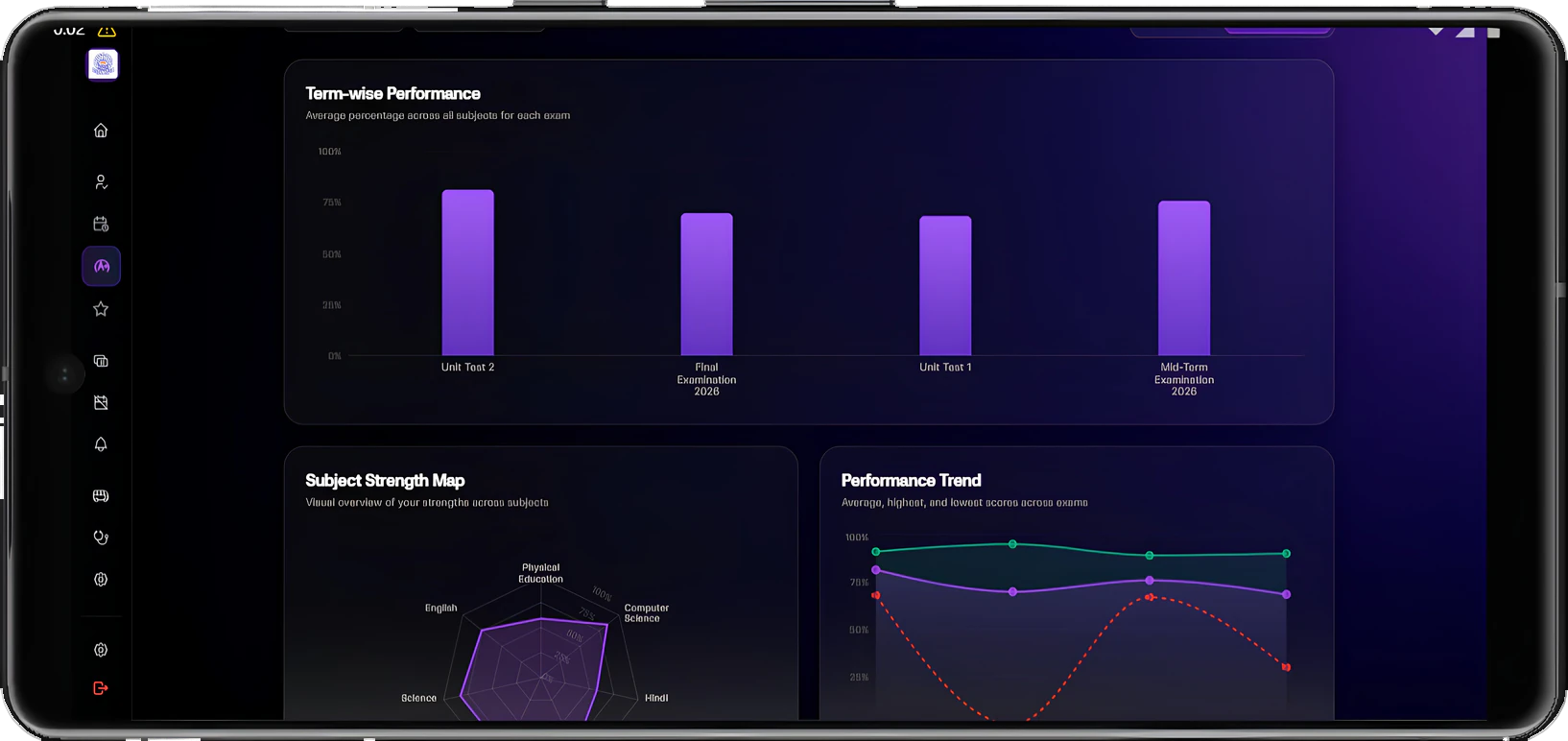
Term-wise results, a subject strength map and a performance trend show how a student is doing over time, not only in the latest exam.
Connected modules
Where this work continues.
See Examinations & report cards in a walkthrough.
Tell us how your institution runs today. We will walk you through the parts of Manecia ERP that matter to your teams.
Or call +91 82182 20929