Student feedbackHear from every class about its teaching, with no names attached.
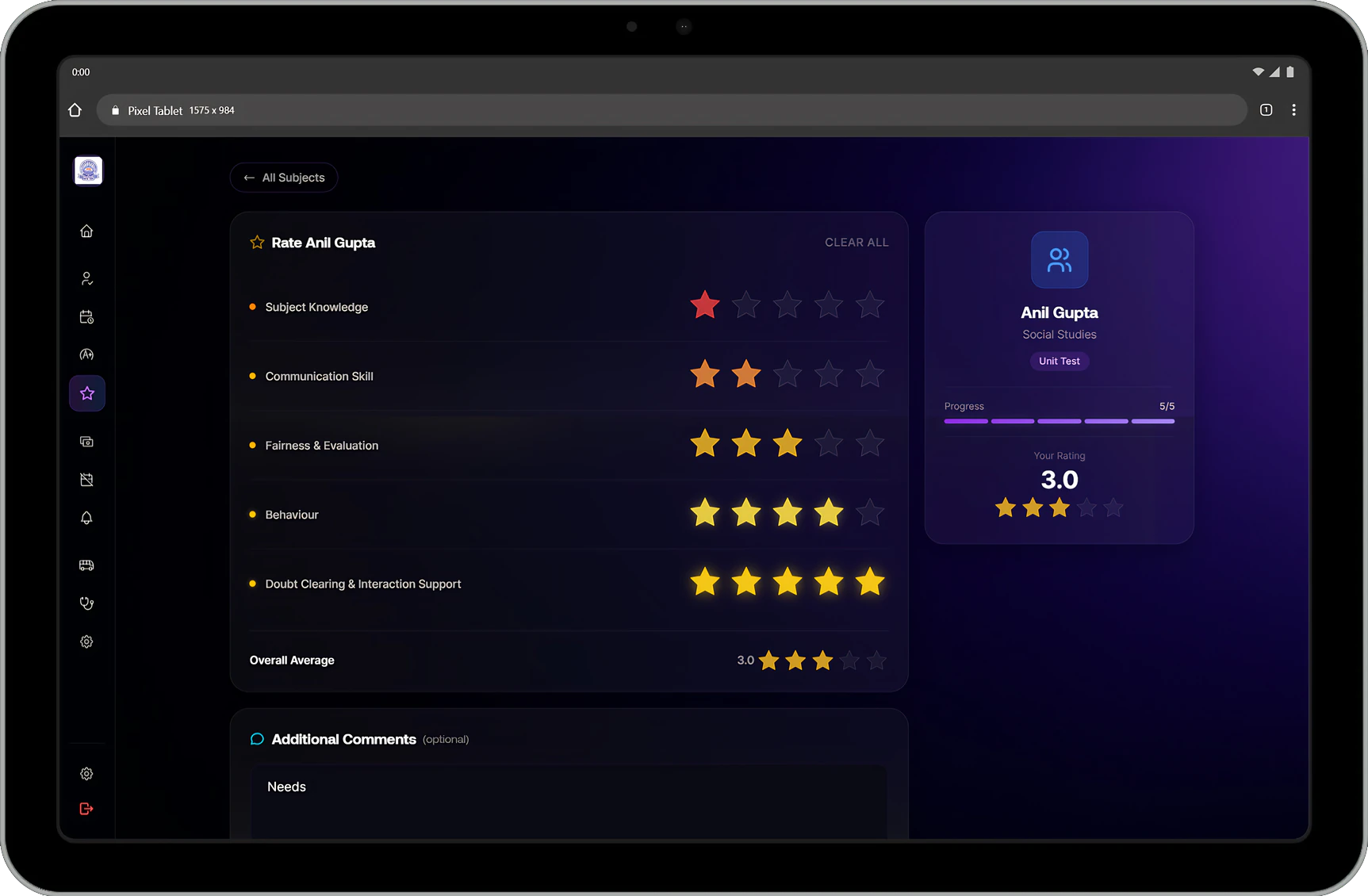
The school opens a feedback round for a term. Students rate each of their subject teachers against the school's questions and can add a comment. Leadership reads the results by teacher, subject and class, and no response shows a student's name.
What it handles
Inside Student feedback.
Rounds for each term
Open a named feedback round for a term, with planned start and end dates if you want them. Students give feedback while the round is open.
Your own questions
Write the questions students answer, each with a short explanation, or reset to the standard set. Limit a question to a subject or a term when it only applies there.
A star scale per question
Each question sets how many stars it is rated on, so a broad question and a narrow one do not have to share a scale.
One teacher at a time
Students pick a subject teacher, rate each question in half-star steps, add a comment if they have one, and move on to the next teacher.
Anonymous by design
Responses show the class and what was said. Student names never appear in responses or analytics.
Who has responded
The overview shows responses received, teachers rated, the average score and the classes still to respond.
Every response, filtered
Read submitted feedback by teacher, subject, class, section and term.
Teachers and subjects compared
Analytics rank teachers and subjects from highest to lowest score, for the term, subject or class you choose.
Connected modules
Where this work continues.
See Student feedback in a walkthrough.
Tell us how your institution runs today. We will walk you through the parts of Manecia ERP that matter to your teams.
Or call +91 82182 20929